
I used React every day without really knowing how JSX becomes a screen or how useState remembers a value. So I started from an empty file, without the library, and built React's core pieces one at a time. The goal was not completeness but understanding why things are shaped the way they are.
I gave this as a WING session talk in August 2023 and wrote it up on velog at the time; this is a polished translation.
Setting up
Create a directory and install TypeScript and Parcel.
mkdir deconstructing-react
npm install -d typescript
npm install parcel-bundler

yarn add typescript parcel -D
Initialise TypeScript.
tsc --initTwo changes in tsconfig.json: compile JSX the React way, and switch strict mode off since this is an experiment.
"jsx": "react"
"strict": false
Create index.html and index.tsx, and load the script from the HTML.
<script src="index.tsx"></script>Start the dev server with Parcel.
parcel index.htmlJSX is just a function call
Put one line of JSX in index.tsx.
const a = <div>hello</div>;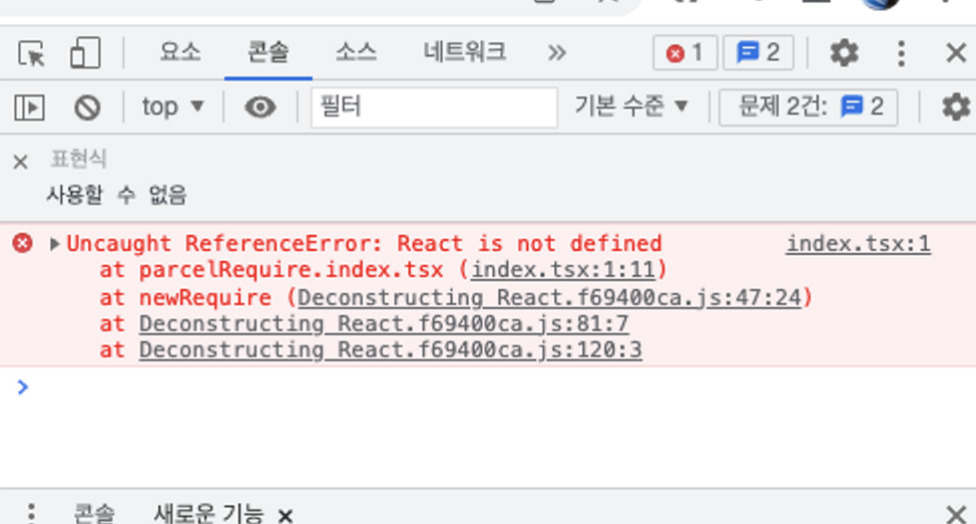
React is not defined. JSX compiles into React.createElement(...) calls, so the name has to exist. What if it is just an empty object?
const React = {};
const a = <div>hello</div>;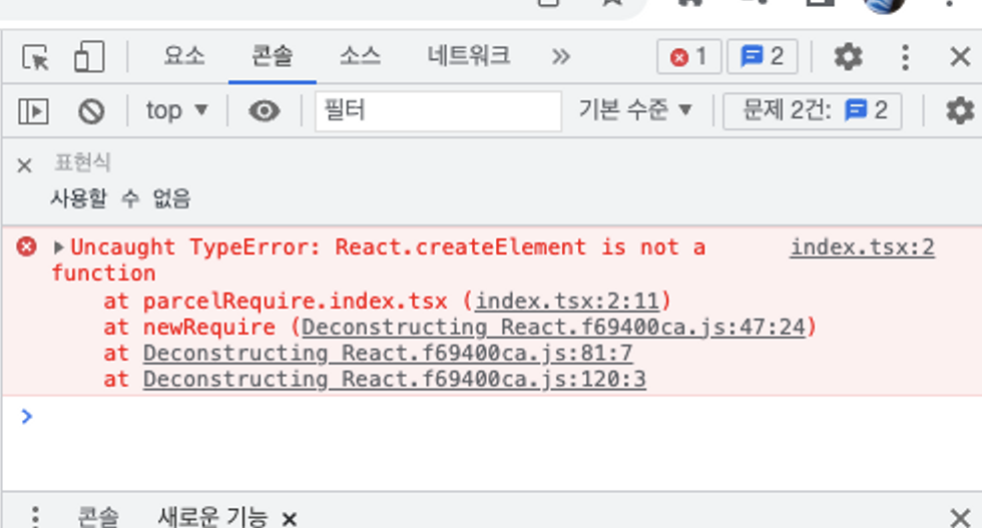
Now createElement is not a function. Give it an empty one.
let React = {
  createElement: () => {},
};
const a = <div>hello</div>;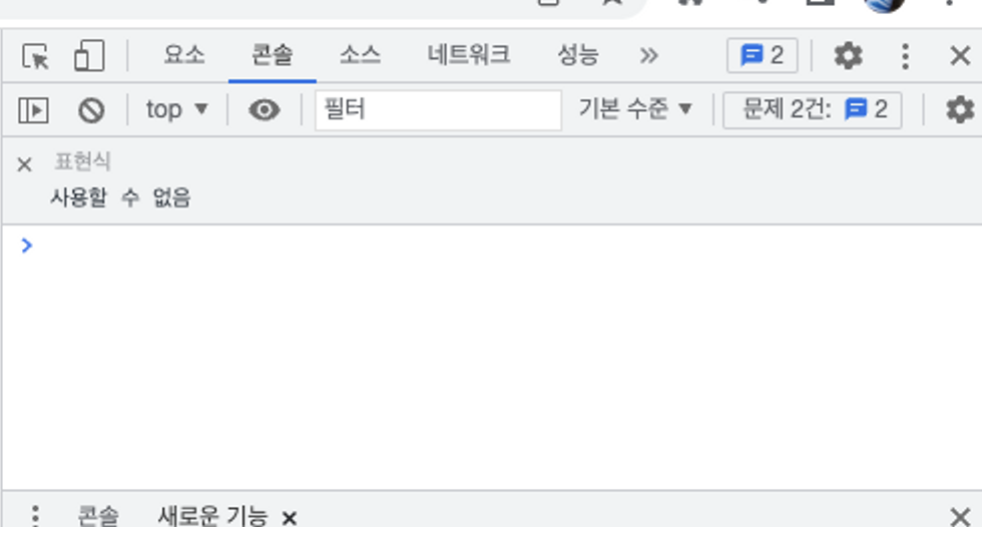
That alone makes the error go away. Let's see what arguments the function receives.
const React = {
  createElement: (...args) => {
    console.log(args);
  },
};
const a = <div>hello</div>;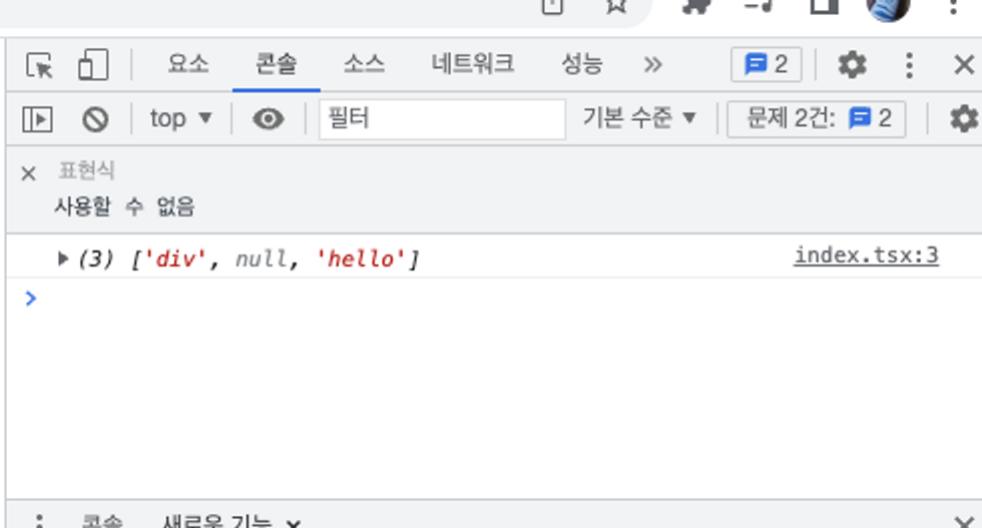
div is the tag name and hello is the content. To find out what the null in the middle is, add an attribute.
const React = {
  createElement: (...args) => {
    console.log(args);
  },
};
const a = <div className="good">hello</div>;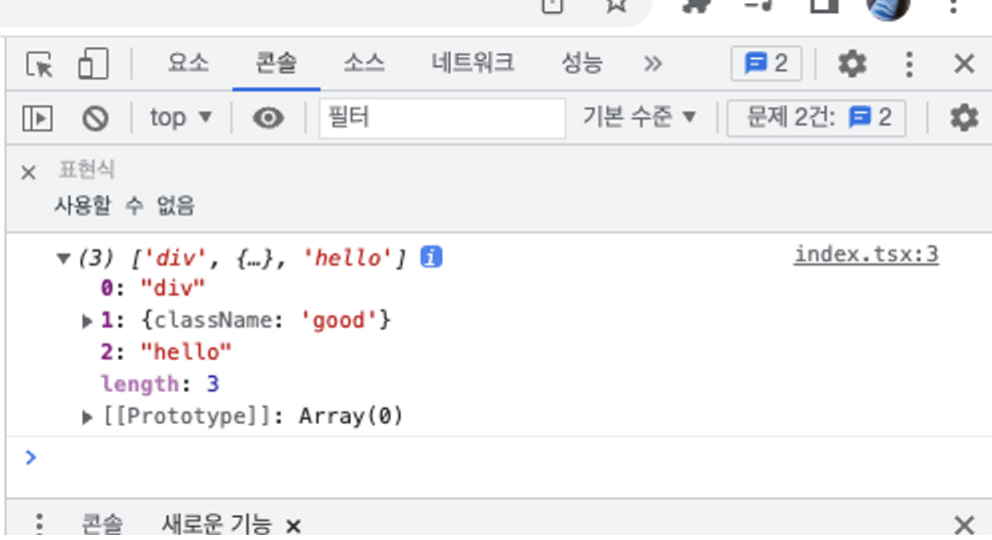
The second argument is the props. So createElement receives the tag name, the props, and then the children.
Building the element object
Now createElement should return something. A React element is just a plain object holding the tag, the props and the children.
const React = {
  createElement: (tag, props, ...children) => {
    var element = { tag, props: { ...props, children } };
    console.log(element);
    return element;
  },
};
const a = <div className="good">hello</div>;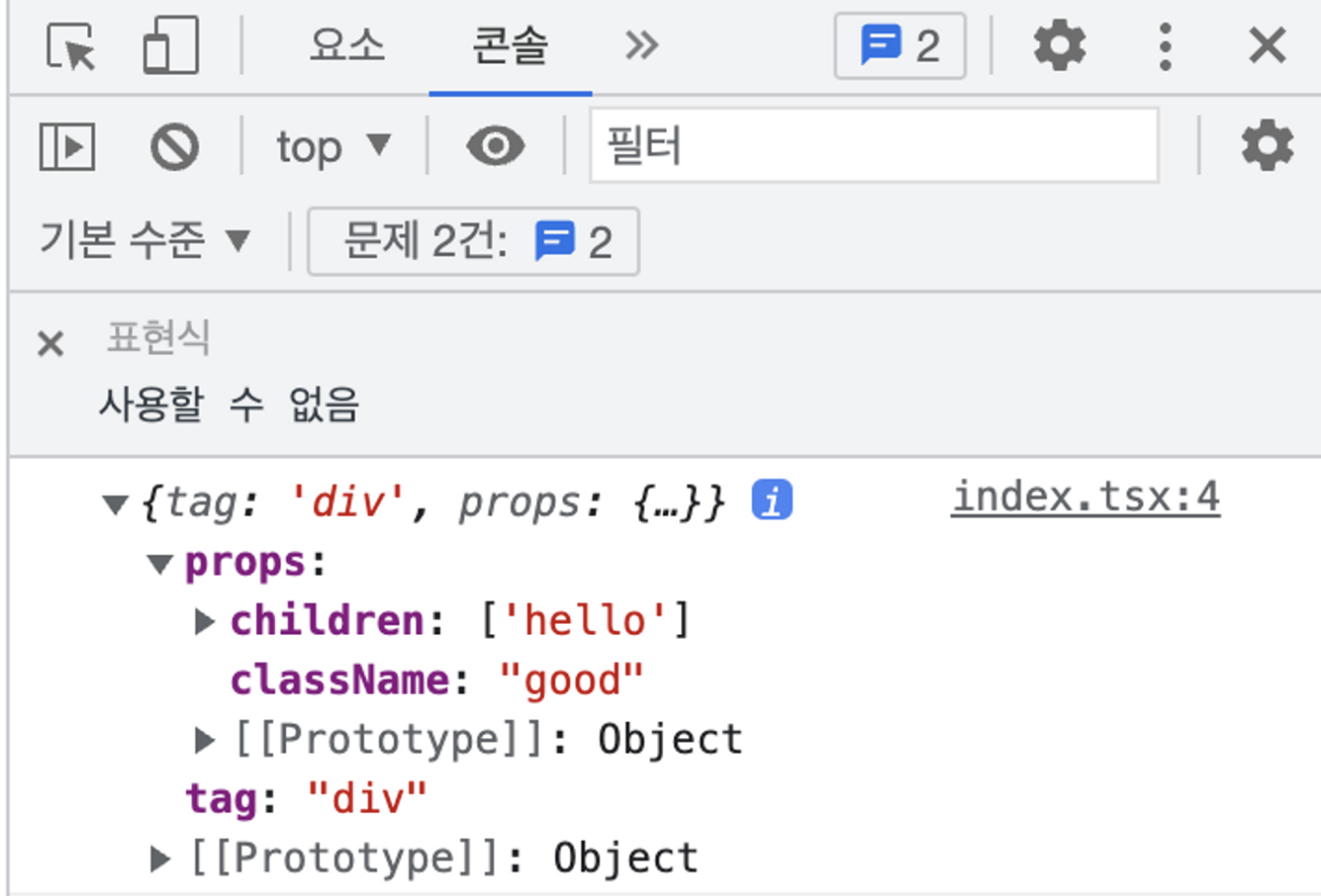
Try nested JSX as well.
const React = {
  createElement: (tag, props, ...children) => {
    var element = { tag, props: { ...props, children } };
    console.log(element);
    return element;
  },
};
const a = (
  <div className="good">
    <h1>hello</h1>
    <p>
      Lorem ipsum, dolor sit amet consectetur adipisicing elit. Ipsa harum perferendis veniam ut accusantium iusto deleniti nemo! Nisi quisquam natus itaque similique, adipisci voluptatum atque ex
      deleniti harum quibusdam inventore!
    </p>
  </div>
);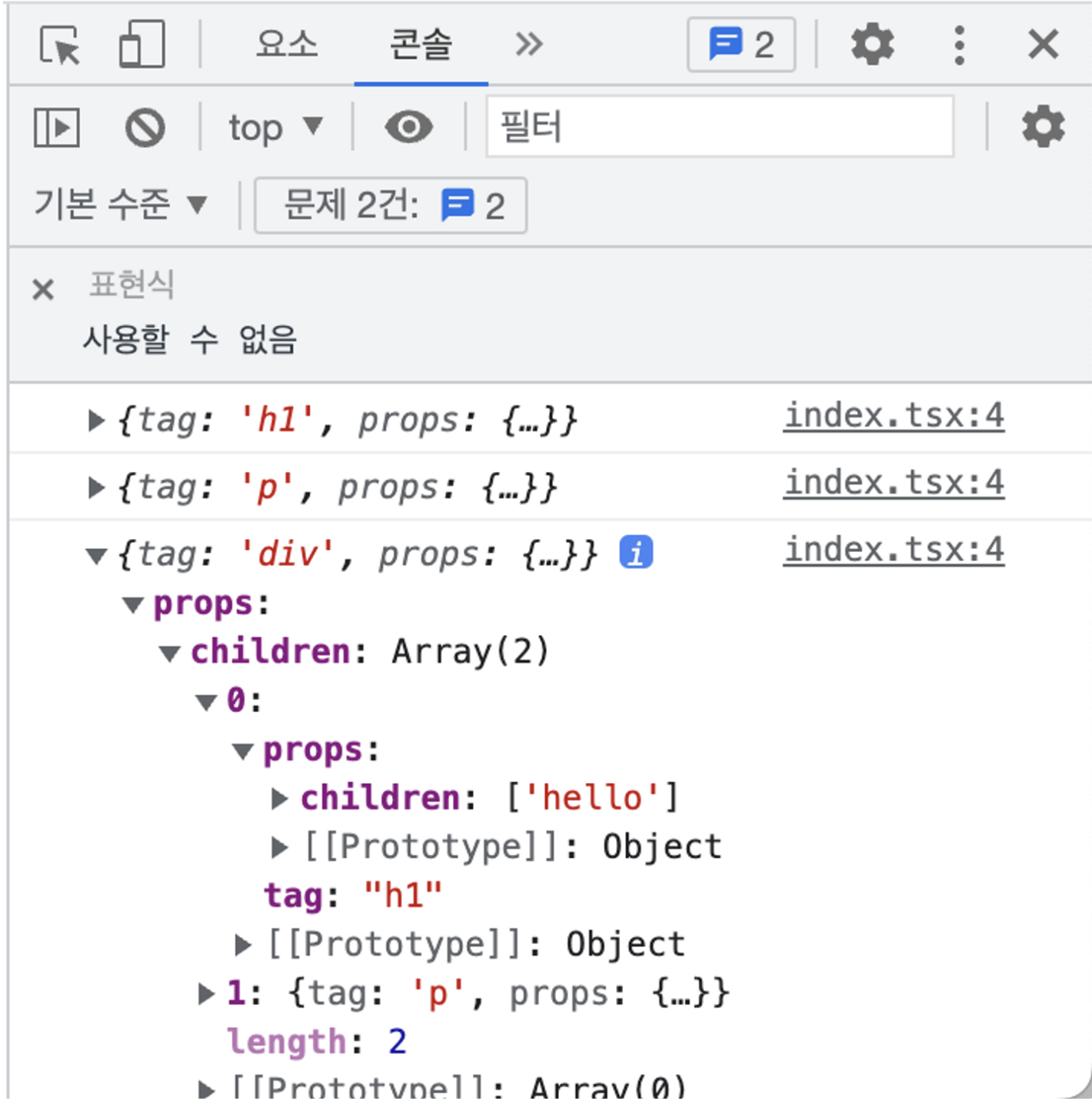
The children come out as a tree of objects too. This is what people call the virtual DOM.
Next, turn the variable a into a function component. If the tag that createElement receives is a function, call it and use the result. The variable is renamed to App while we are at it.
const React = {
  createElement: (tag, props, ...children) => {
    if (typeof tag === "function") {
      return tag(props);
    }
    var element = { tag, props: { ...props, children } };
    console.log(element);
    return element;
  },
};
const App = () => (
  <div className="good">
    <h1>hello</h1>
    <p>
      Lorem ipsum, dolor sit amet consectetur adipisicing elit. Ipsa harum perferendis veniam ut accusantium iusto deleniti nemo! Nisi quisquam natus itaque similique, adipisci voluptatum atque ex
      deleniti harum quibusdam inventore!
    </p>
  </div>
);

<App />;
That is a very small React. But React itself is only one piece of the puzzle: something else has to take this virtual DOM tree and put it on the screen.
render: from objects to real DOM
Add an element with the id app to index.html.
<div id="app"></div>
<script src="index.tsx"></script>
Then, in index.tsx, call render to draw App into it.
render(<App />, document.getElementById("app"));First attempt. Take an element object, create a real DOM node, copy the props over, and recurse into the children.
const React = {
  createElement: (tag, props, ...children) => {
    if (typeof tag === "function") {
      return tag(props);
    }
    var element = { tag, props: { ...props, children } };
    console.log(element);
    return element;
  },
};
const App = () => (
  <div className="good">
    <h1>hello</h1>
    <p>
      Lorem ipsum, dolor sit amet consectetur adipisicing elit. Ipsa harum perferendis veniam ut accusantium iusto deleniti nemo! Nisi quisquam natus itaque similique, adipisci voluptatum atque ex
      deleniti harum quibusdam inventore!
    </p>
  </div>
);

const render = (reactElement, container) => {
  const actualDomElement = document.createElement(reactElement.tag);
  if (reactElement.props) {
    Object.keys(reactElement.props)
      .filter((p) => p !== "children")
      .forEach((p) => (actualDomElement[p] = reactElement[p]));
  }
  if (reactElement.props.children) {
    reactElement.props.children.forEach((child) => render(child, actualDomElement));
  }
  container.appendChild(actualDomElement);
};

render(<App />, document.getElementById("app"));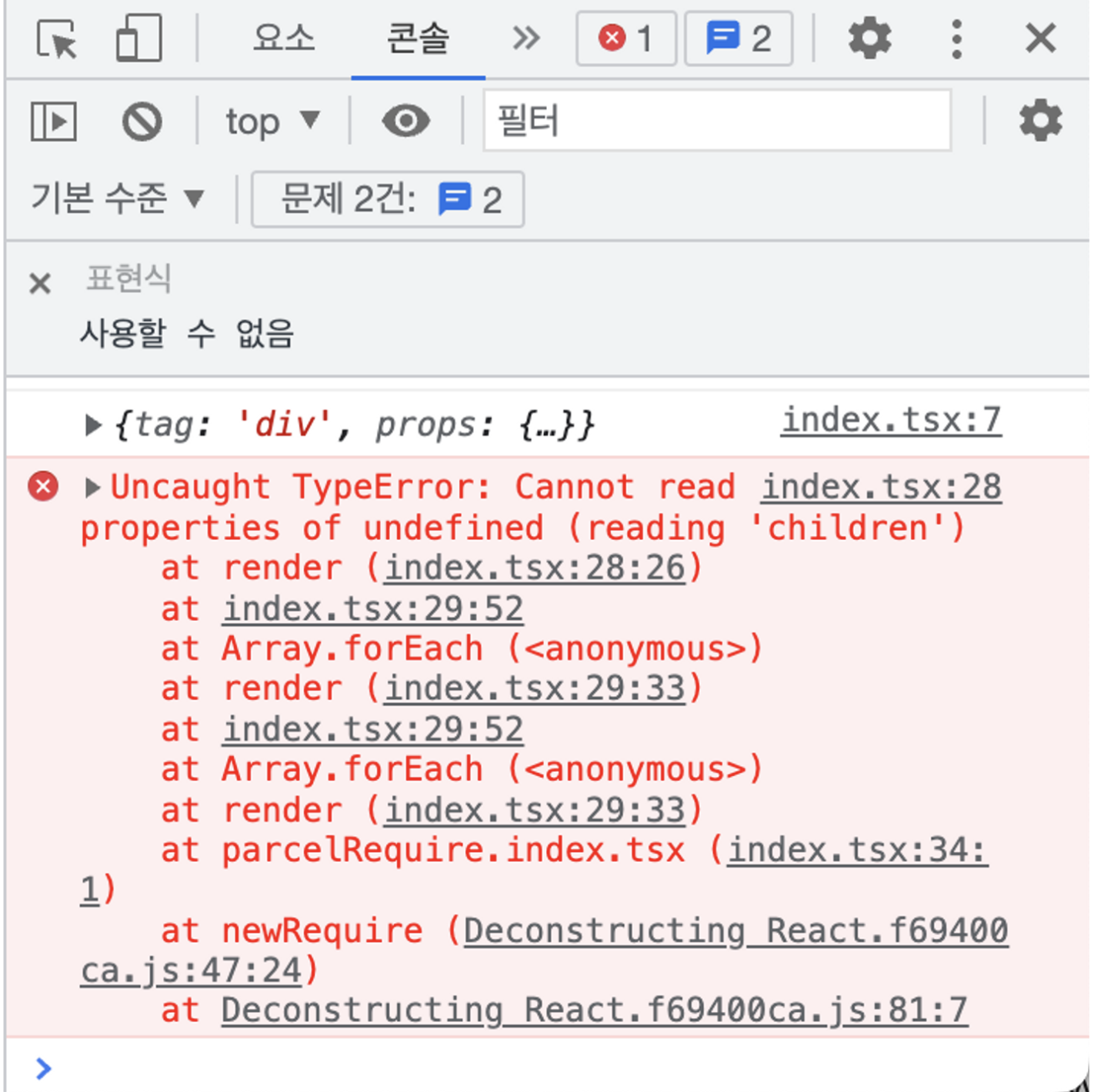
It fails, because some children are not element objects at all: the hello inside <h1>hello</h1> is a plain string. Numbers behave the same way.
So render has to accept an element, a string or a number, and branch first. The parameter is renamed to say so. This is exactly the kind of mistake TypeScript catches ahead of time.
const React = {
  createElement: (tag, props, ...children) => {
    if (typeof tag === "function") {
      return tag(props);
    }
    var element = { tag, props: { ...props, children } };
    console.log(element);
    return element;
  },
};
const App = () => (
  <div className="good">
    <h1>hello</h1>
    <p>
      Lorem ipsum, dolor sit amet consectetur adipisicing elit. Ipsa harum perferendis veniam ut accusantium iusto deleniti nemo! Nisi quisquam natus itaque similique, adipisci voluptatum atque ex
      deleniti harum quibusdam inventore!
    </p>
  </div>
);

const render = (reactElementOrStringOrNumber, container) => {
  if (["string", "number"].includes(typeof reactElementOrStringOrNumber)) {
    container.appendChild(document.createTextNode(String(reactElementOrStringOrNumber)));
    return;
  }
  const actualDomElement = document.createElement(reactElementOrStringOrNumber.tag);
  if (reactElementOrStringOrNumber.props) {
    Object.keys(reactElementOrStringOrNumber.props)
      .filter((p) => p !== "children")
      .forEach((p) => (actualDomElement[p] = reactElementOrStringOrNumber.props[p]));
  }
  if (reactElementOrStringOrNumber.props.children) {
    reactElementOrStringOrNumber.props.children.forEach((child) => render(child, actualDomElement));
  }
  container.appendChild(actualDomElement);
};

render(<App />, document.getElementById("app"));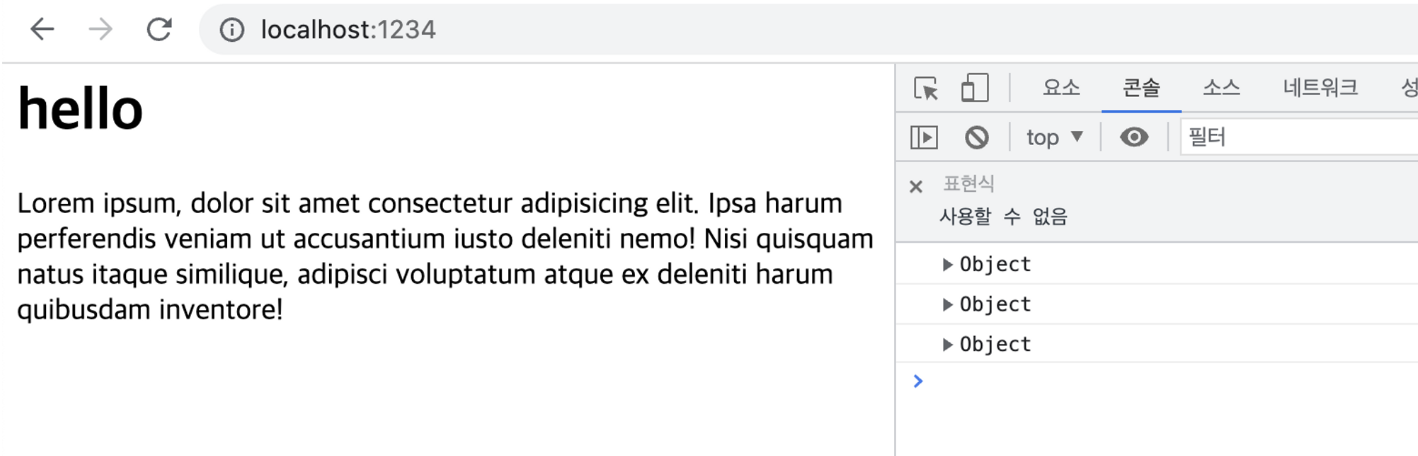
It renders. But so far this is no better than static HTML, because there is no state.
A first attempt at useState
First, rewrite App to use an explicit return, and add an input.
const App = () => {
  return (
    <div className="good">
      <h1>hello</h1>
      <input type="text" placeholder="name" />
      <p>
        Lorem ipsum, dolor sit amet consectetur adipisicing elit. Ipsa harum perferendis veniam ut accusantium iusto deleniti nemo! Nisi quisquam natus itaque similique, adipisci voluptatum atque ex
        deleniti harum quibusdam inventore!
      </p>
    </div>
  );
};
Then use useState the way we normally would. One thing to keep in mind: React's onChange is a synthetic event that React provides; the real DOM attribute is onchange. There is no React here, so the DOM attribute is used directly.
const App = () => {
  const [name, setName] = useState("ikjun");
  return (
    <div className="good">
      <h1>Hello, {name}</h1>
      <input type="text" placeholder="name" value={name} onchange={(e) => setName(e.target.value)} />
      <p>
        Lorem ipsum, dolor sit amet consectetur adipisicing elit. Ipsa harum perferendis veniam ut accusantium iusto deleniti nemo! Nisi quisquam natus itaque similique, adipisci voluptatum atque ex
        deleniti harum quibusdam inventore!
      </p>
    </div>
  );
};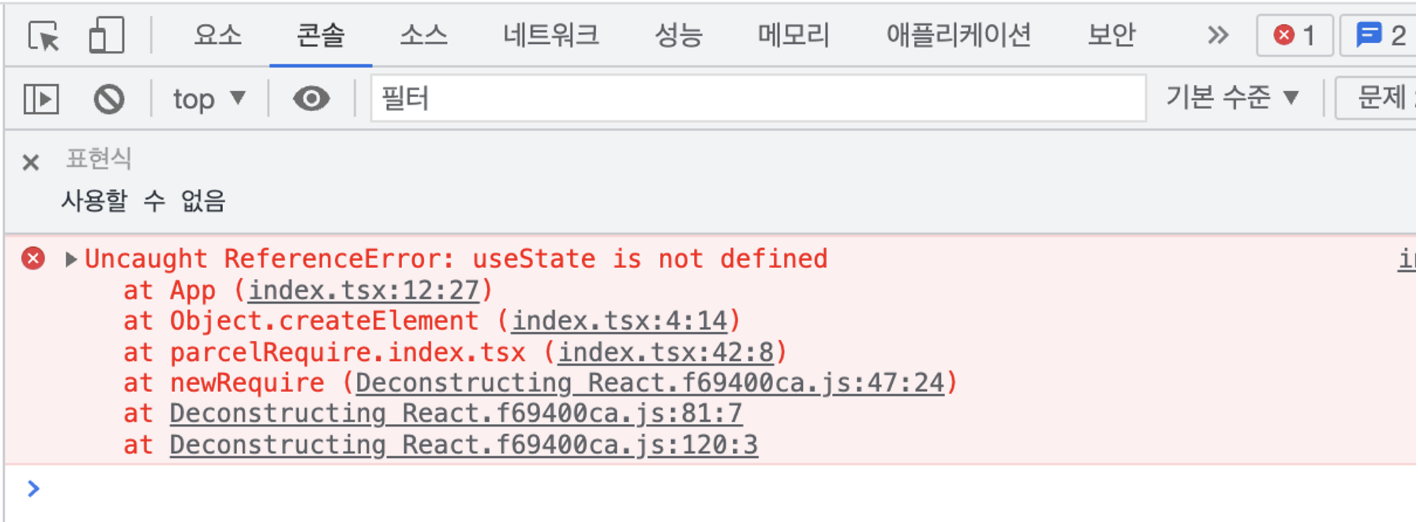
Naturally, useState does not exist. Declare the simplest possible version above App: keep the initial value, and let setState replace it.
const useState = (initialState) => {
  let state = initialState;
  let setState = (newState) => (state = newState);
  return [state, setState];
};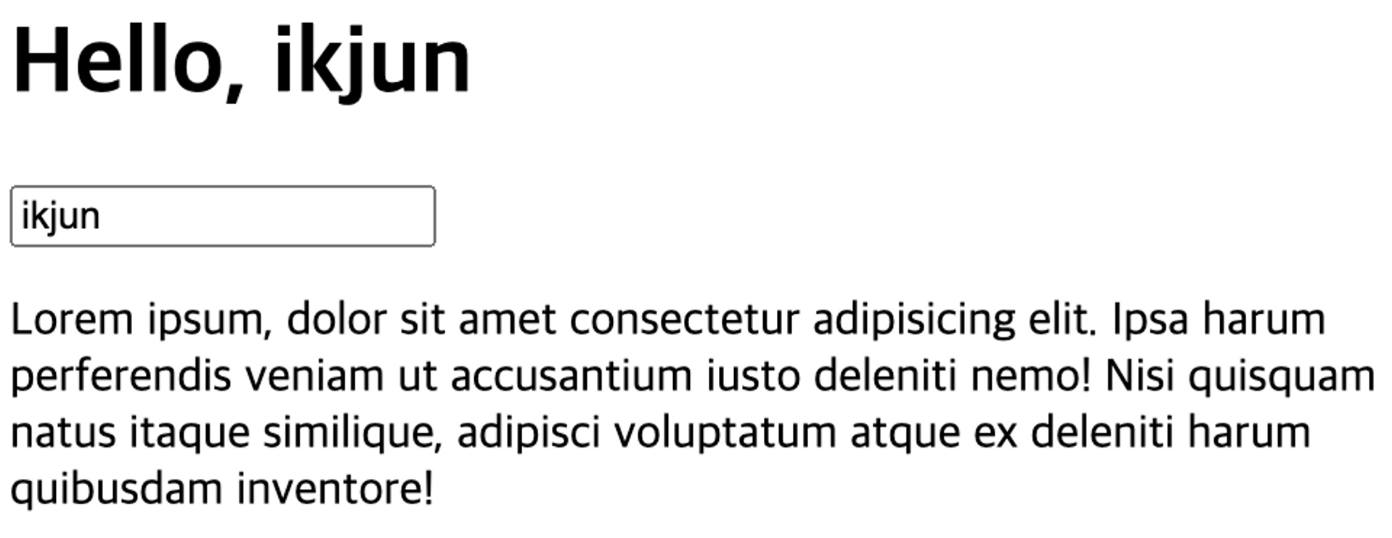
name can be used now, but typing into the input changes nothing on screen. When the value changes, the page has to be drawn again, and nothing does that yet.
Add rerender below render and call it from setState.
const rerender = () => {
  render(<App />, document.getElementById("app"));
}
const useState = (initialState) => {
let state = initialState;
let setState = (newState) => {
state = newState;
rerender();
};
return [state, setState];
};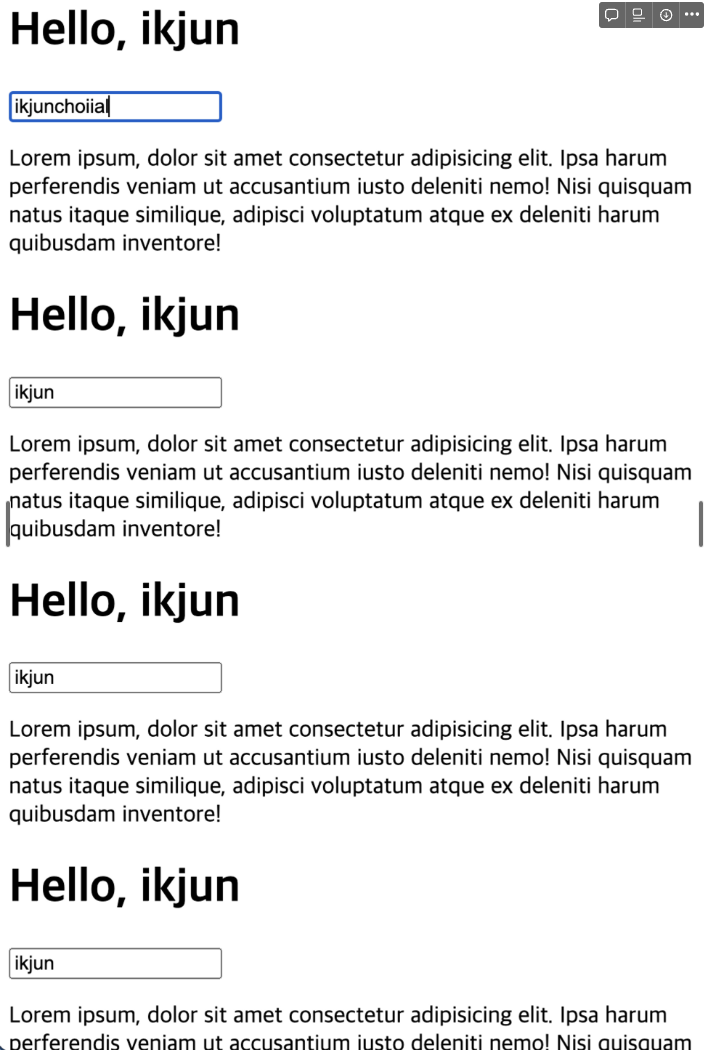
It re-renders, but on top of the previous output. Remove the existing element first.
const rerender = () => {
  document.getElementById("app").firstChild.remove();
  render(<App />, document.getElementById("app"));
};
Even so, the initial value ikjun never changes. Log what is happening.
const useState = (initialState) => {
  console.log("initial : ", initialState);
  let state = initialState;
  let setState = (newState) => {
    console.log("setState : ", newState);
    state = newState;
    rerender();
  };
  return [state, setState];
};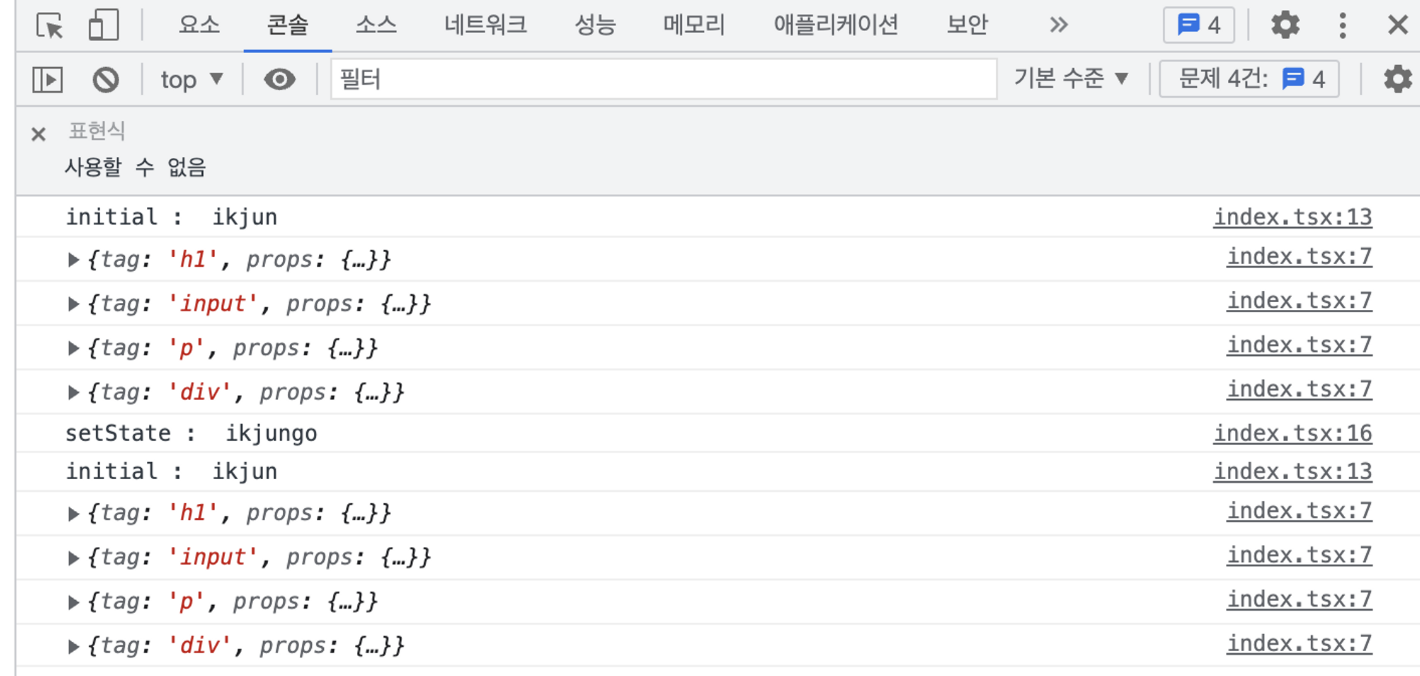
setState is called, but each re-render runs useState again and resets the value to the initial one. This is where we have to think about how hooks remember anything at all.
State has to live outside the component
The key idea is the closure. Local variables are created fresh every time a function runs, so state kept inside the function cannot remember its previous value.
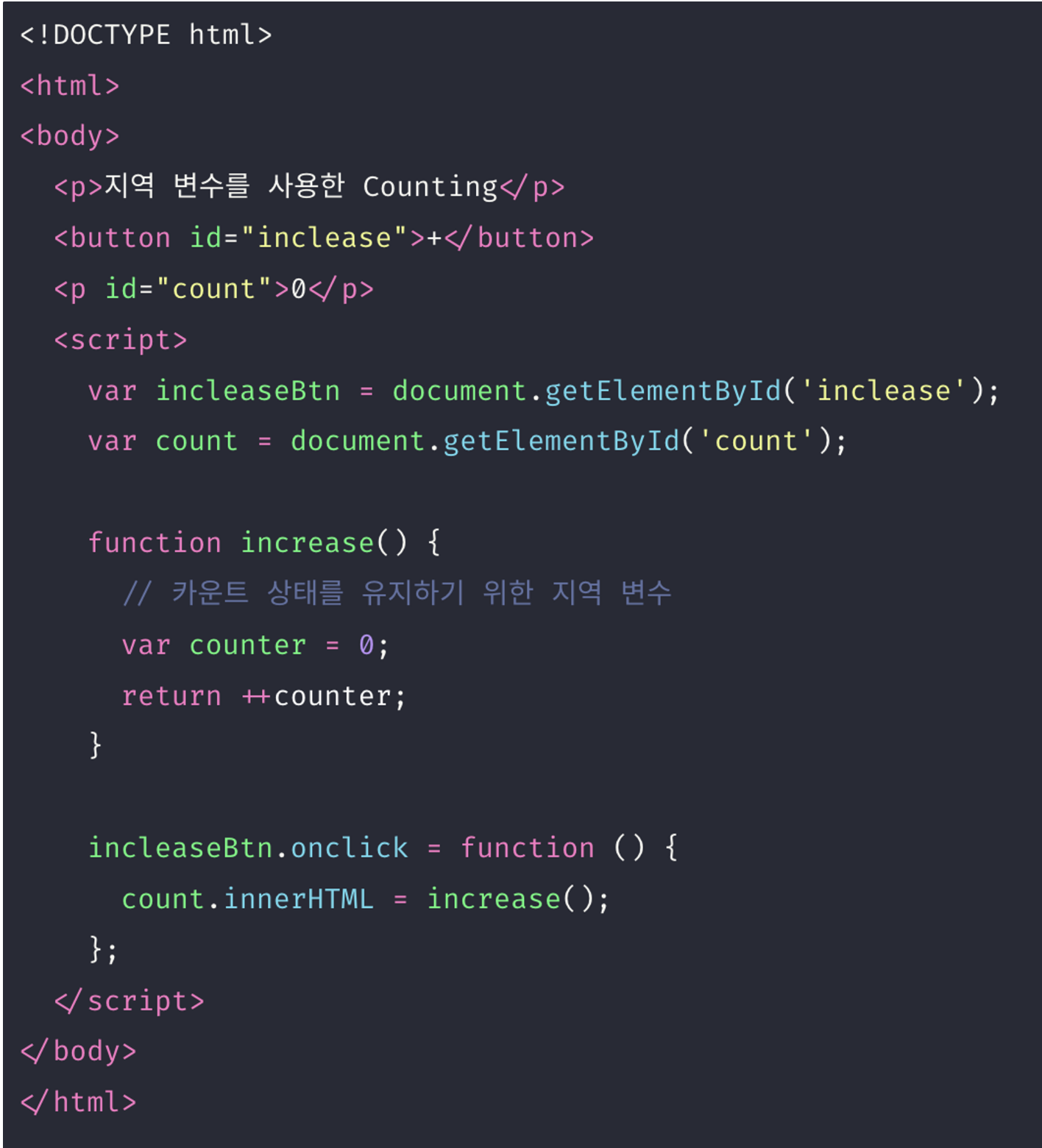
The example above is the classic case: every call to increase starts counter at zero, so nothing accumulates. The first fix that comes to mind is a global variable, but anything can read and write a global, which makes it a common source of bugs. The alternative is a store in an outer scope that is only reached through functions, which is what a closure gives us.
Counting is easier to verify than renaming, so a counter with two buttons goes into the component.
const App = () => {
  const [name, setName] = useState("ikjun");
  const [count, setCount] = useState(0);
  return (
    <div className="good">
      <h1>Hello, {name}</h1>
      <input type="text" placeholder="name" value={name} onchange={(e) => setName(e.target.value)} />
      <h2>The count is : {count}</h2>
      <button onclick={() => setCount(count + 1)}>+</button>
      <button onclick={() => setCount(count - 1)}>-</button>
      <p>
        Lorem ipsum, dolor sit amet consectetur adipisicing elit. Ipsa harum perferendis veniam ut accusantium iusto deleniti nemo! Nisi quisquam natus itaque similique, adipisci voluptatum atque ex
        deleniti harum quibusdam inventore!
      </p>
    </div>
  );
};
As it stands, re-rendering works but the values keep resetting. Time to move state out of the component: a states array to hold the values and a stateCursor that says which slot we are on, both declared above useState.
const states = [];
let stateCursor = 0;
useState freezes the cursor at the moment it is called in FROZENCURSOR and reads and writes that slot. If the slot is still empty it gets the initial value, and the cursor moves on so the next useState call uses the next slot.
const states = [];
let stateCursor = 0;

const useState = (initialState) => {
  const FROZENCURSOR = stateCursor;
  states[FROZENCURSOR] = states[FROZENCURSOR] || initialState;
  const setState = (newState) => {
    states[FROZENCURSOR] = newState;
    rerender();
  };
  stateCursor++;
  return [states[FROZENCURSOR], setState];
};
On re-render the cursor goes back to zero, so the same sequence of useState calls finds the same slots again.
const rerender = () => {
  stateCursor = 0;
  document.getElementById("app").firstChild.remove();
  render(<App />, document.getElementById("app"));
};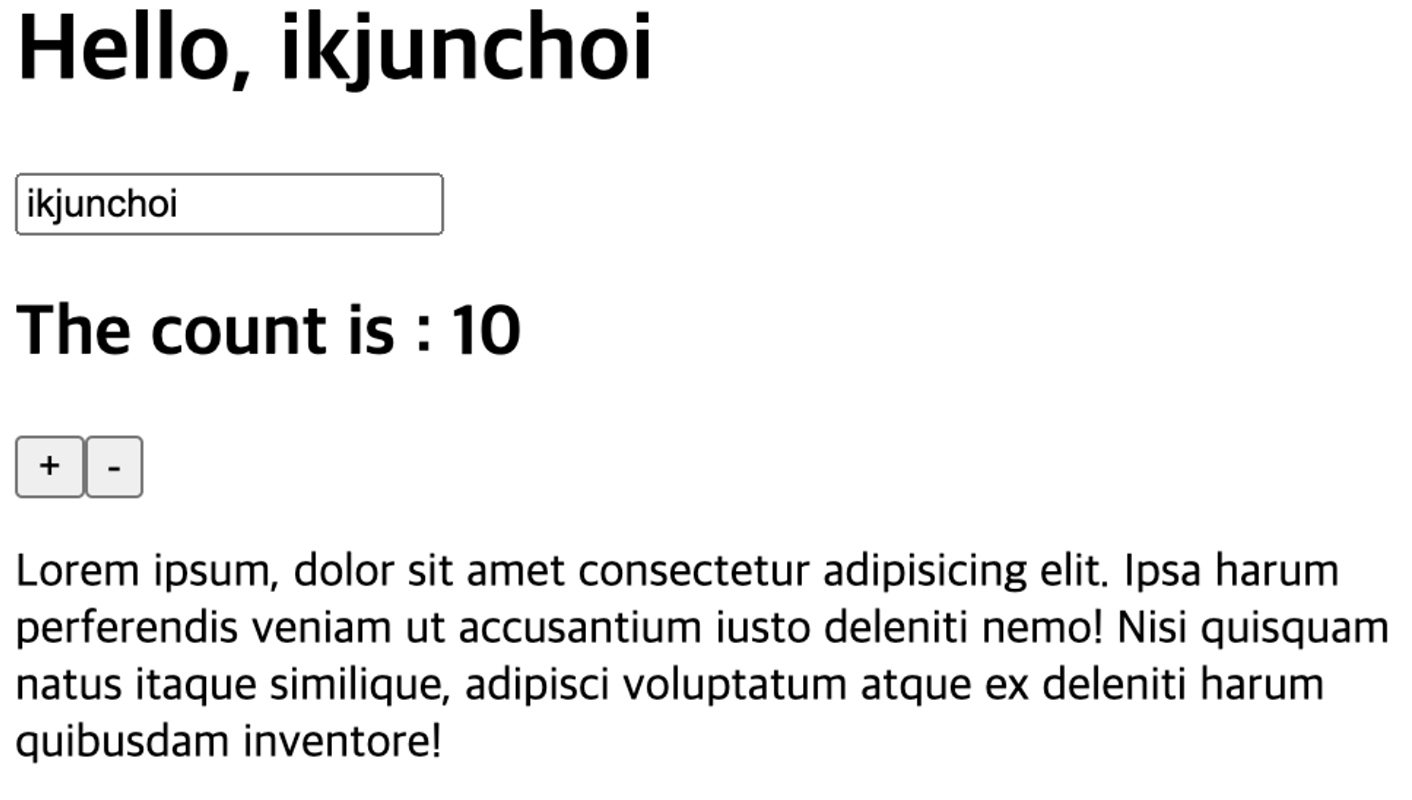
State finally sticks. This also shows why hooks must not be called inside conditions: the call order is the storage location.
Loading data, a tiny Concurrent Mode
The last piece is a very small slice of what React was pushing as Concurrent Mode. Roughly: handle asynchronous work, but let React decide its priority so that parts of the DOM tree can render before the rest. Here we only go as far as fetching a photo URL from an API and showing it.
Fetch a random dog photo in App and drop the result into the tree.
const App = () => {
  const [name, setName] = useState("ikjun");
  const [count, setCount] = useState(0);
  const dogPhotoUrl = fetch("https://dog.ceo/api/breeds/image/random")
    .then((r) => r.json())
    .then((playload) => playload.message);
  return (
    <div className="good">
      <h1>Hello, {name}</h1>
      <input type="text" placeholder="name" value={name} onchange={(e) => setName(e.target.value)} />
      <h2>The count is : {count}</h2>
      {dogPhotoUrl}
      <button onclick={() => setCount(count + 1)}>+</button>
      <button onclick={() => setCount(count - 1)}>-</button>
      <p>
        Lorem ipsum, dolor sit amet consectetur adipisicing elit. Ipsa harum perferendis veniam ut accusantium iusto deleniti nemo! Nisi quisquam natus itaque similique, adipisci voluptatum atque ex
        deleniti harum quibusdam inventore!
      </p>
    </div>
  );
};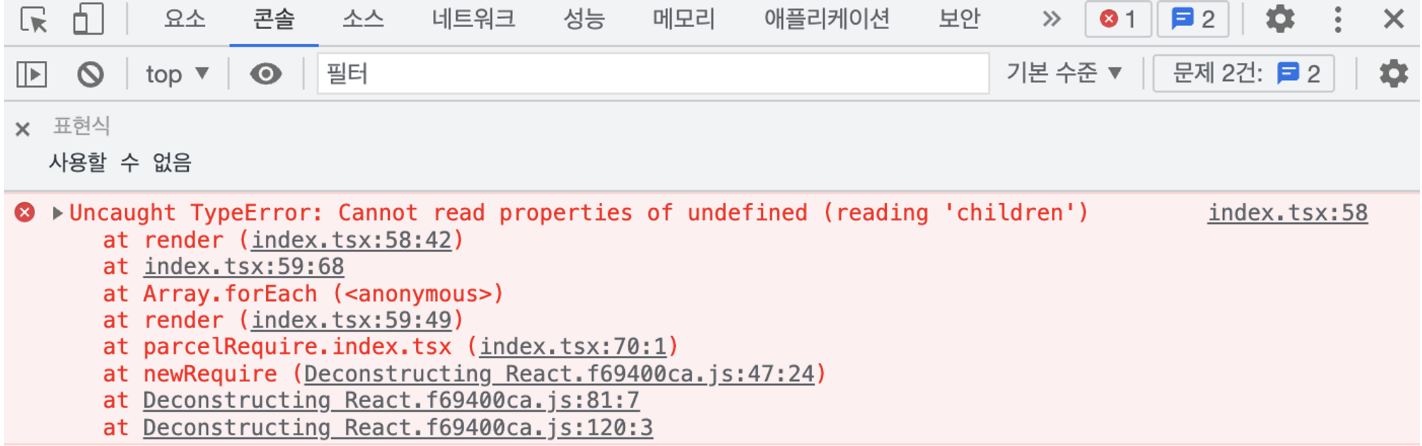
It fails, because fetch returns a Promise and nothing handles it. Something has to know when the Promise settles and manage it. In React that role is played by createResource.
What createResource does, in short:
- It calls
wrapPromise, which solves the problem of not being able to inspect a Promise's state. - It keeps the status and the result in a closure, and while pending it throws the Promise so a
Suspenseboundary can pick it up. - It throws in the pending state so the result can be reached later, and throws again in the error state so the error can be handled.
Change the call site first: the loading function goes first, a unique key second.
const App = () => {
  const [name, setName] = useState("ikjun");
  const [count, setCount] = useState(0);
  const dogPhotoUrl = createResource(() => {
    fetch("https://dog.ceo/api/breeds/image/random")
      .then((r) => r.json())
      .then((playload) => playload.message), 'dogPhoto'
  });
  return (
    <div className="good">
      <h1>Hello, {name}</h1>
      <input type="text" placeholder="name" value={name} onchange={(e) => setName(e.target.value)} />
      <h2>The count is : {count}</h2>
      {dogPhotoUrl}
      <button onclick={() => setCount(count + 1)}>+</button>
      <button onclick={() => setCount(count - 1)}>-</button>
      <p>
        Lorem ipsum, dolor sit amet consectetur adipisicing elit. Ipsa harum perferendis veniam ut accusantium iusto deleniti nemo! Nisi quisquam natus itaque similique, adipisci voluptatum atque ex
        deleniti harum quibusdam inventore!
      </p>
    </div>
  );
};
Now write createResource just above App. Look the key up in a cache; return the value if it is there, otherwise throw the Promise together with the key.
const promiseCache = new Map();
const createResource = (asyncFunc, key) => {
  if(promiseCache.has(key)){
    return promiseCache.get(key);
  }
  throw { promise: asyncFunc(), key };
}
App is created by the createElement at the top of the file calling the function. Since a Promise can be thrown from inside, wrap the function-component call in try/catch. When one is caught, schedule a cache write and a re-render for when the Promise resolves, and return "Loading..." for now.
const React = {
  createElement: (tag, props, ...children) => {
    if (typeof tag === "function") {
      try {
        return tag(props);
      } catch ({ promise, key }) {
        promise.then((data) => {
          promiseCache.set(key, data);
          rerender();
        });
        return { tag: "h1", props: { children: ["Loading..."] } };
      }
    }
    var element = { tag, props: { ...props, children } };
    return element;
  },
};
While pending, the Loading text shows; once the data arrives, the component renders normally. Finally, tidy the component so it shows the photo from the fetched URL.
const App = () => {
  const [name, setName] = useState("ikjun");
  const [count, setCount] = useState(0);
  const dogPhotoUrl = createResource(() => fetch("https://dog.ceo/api/breeds/image/random").then((r) => r.json()), "dog");
  return (
    <div className="good">
      <h1>Hello, {name}</h1>
      <input type="text" placeholder="name" value={name} onchange={(e) => setName(e.target.value)} />
      <h2>The count is : {count}</h2>
      <img src={dogPhotoUrl.message} />
      <button onclick={() => setCount(count + 1)}>+</button>
      <button onclick={() => setCount(count - 1)}>-</button>
      <p>
        Lorem ipsum, dolor sit amet consectetur adipisicing elit. Ipsa harum perferendis veniam ut accusantium iusto deleniti nemo! Nisi quisquam natus itaque similique, adipisci voluptatum atque ex
        deleniti harum quibusdam inventore!
      </p>
    </div>
  );
};
Closing
Starting from an empty file, four pieces of React took shape.
createElement: JSX is a function call, and the result is an object holding a tag, props and children.render: that object tree is turned into real DOM recursively, with string children handled separately.useState: state lives in an array outside the component, and the call order is the storage location. This is where the rules of hooks come from.createResource: data that is not there yet is signalled by throwing a Promise, and the tree is redrawn when it arrives.
Real React does not wipe and redraw everything on each update; it applies only the differences, and it keeps state per component. But "why it looks the way it does" became a lot clearer with just this small version.
The full code is in the no-ikjun/deconstructing-react repository.